
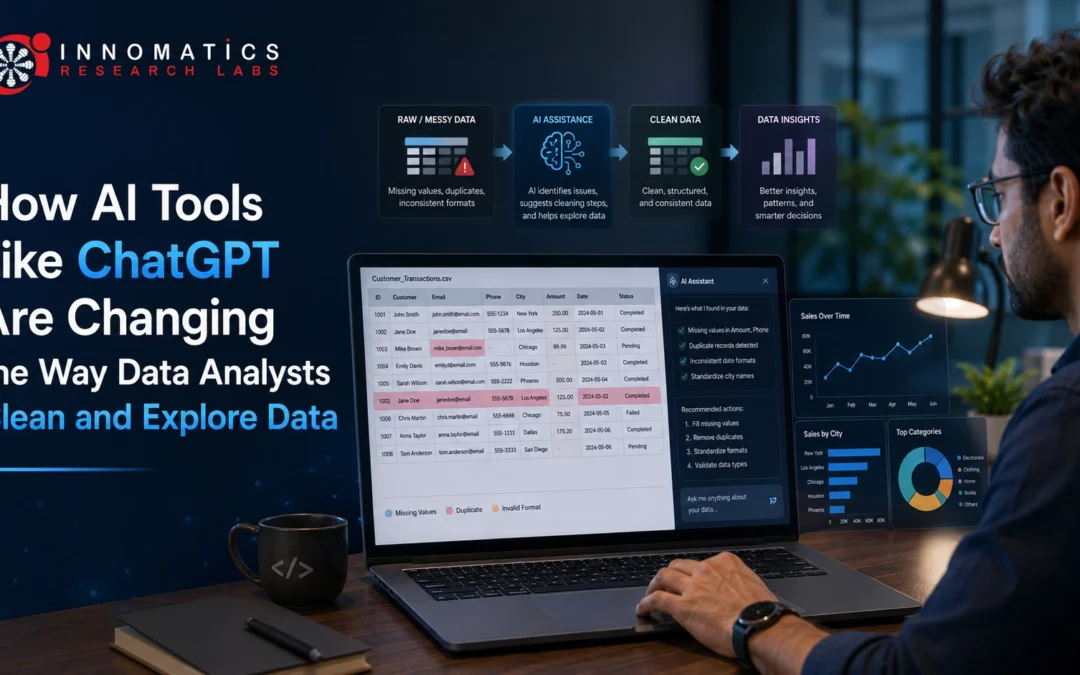
Every data analyst knows the truth about this job. Most of the time isn’t spent building dashboards or telling a great story with data. It’s spent fixing messy spreadsheets, sorting mismatched formats, and dealing with broken columns. Data cleaning and exploration have always been the slowest, least exciting parts of the work. This is where AI tools for data cleaning like ChatGPT are starting to help.
This shift is not about AI replacing analysts. It’s about analysts using AI as a faster helper for the boring groundwork. That way, more time goes into real analysis and real decisions. This article looks at what’s actually changing, how these tools fit into a real analyst’s workday, and which skills matter most going forward.
What Are AI Tools for Data Cleaning and Exploration?
AI tools for data cleaning and exploration are apps that use AI models to help analysts prepare and understand data. ChatGPT is one example. Excel, Google Sheets, and Power BI also now have built-in AI features. These tools let analysts describe a problem in plain English instead of only using code.
Before, an analyst had to write every line of logic by hand to find duplicates, fix date formats, or spot outliers. Now, they can describe the issue in simple words and get a suggested fix, a code snippet, or a clear explanation of what’s wrong.
This doesn’t remove the need to think like an analyst. It just changes how fast an analyst can move from raw, messy data to clean, usable data.
Why This Matters for Data Analysts
Data cleaning has always taken up a large share of any analyst’s time. Most working analysts will agree with this, even without pointing to one exact number. A big part of any project goes into getting the data ready before real analysis can even start.
When AI tools handle the first round of work, like finding missing values or odd patterns, analysts can spend more time on the parts that need real skill. That means checking results, testing assumptions, and explaining insights clearly to others.
This helps three groups in different ways:
- Working analysts save time on repeat tasks and can take on more real analysis work.
- Beginners and students learn faster why certain cleaning steps matter, not just how to do them.
- Teams and businesses get faster answers for data-driven decisions.
Key Concepts Every Analyst Should Know
Before you lean on AI tools, it helps to know what they’re actually doing. Here are a few simple ideas to understand first:
- Data cleaning means fixing or removing data that is wrong, missing, duplicated, or in the wrong format.
- Data exploration (EDA) means studying a dataset’s structure and patterns before you start deeper analysis.
- Prompt-based querying means describing a task in plain language so an AI tool can write code or give an explanation.
- Human-in-the-loop validation means the analyst always checks and approves what the AI suggests.
That last point matters most. AI-written cleaning steps can be wrong or too simple. They may miss context about your dataset. The analyst still has to make the final call.
How AI Tools Fit Into the Data Cleaning and Exploration Process
Here is a simple look at how analysts actually use tools like ChatGPT at each stage of the work.
1. Understanding a New Dataset
Analysts often paste a sample of column names or a few rows into ChatGPT. Then they ask for a plain summary of what the data likely shows. This can also flag early issues, like odd date formats or too many blank values.
2. Spotting Data Quality Issues
Instead of scanning thousands of rows by hand, analysts can ask AI tools to help write checks for:
- Duplicate records
- Missing or blank values
- Labels that mean the same thing but look different, like “NY,” “N.Y.,” and “New York”
- Outliers that may point to a data entry mistake
3. Writing Cleaning Code Faster
Instead of writing every Python (Pandas) or SQL query from scratch, analysts describe what they need. For example: “Make all date columns follow the format YYYY-MM-DD.” The AI gives a starting code snippet, which the analyst checks and edits before running it.
4. Help With Exploratory Data Analysis (EDA)
AI tools can help draft a request for summary statistics. They can suggest which columns to chart first. They can also explain a pattern or correlation in plain words. This speeds up the early stage of getting to know the data.
5. Writing Documentation
One useful but often skipped step is writing clear notes on what cleaning was done and why. AI tools can help draft this quickly, which matters a lot when handing off a dataset to another person.
Traditional Workflow vs. AI-Assisted Workflow
Task Traditional Approach AI-Assisted Approach Spotting data issues Manual scanning, custom scripts Plain-language prompts speed up the search Writing cleaning code Written line by line from memory AI gives a starting snippet, analyst checks it Understanding new data Manual review of columns and samples AI gives a quick summary to start from Writing documentation Often skipped or rushed at the end Easier to write alongside the actual work
The analyst’s role does not go away in the AI-assisted column. It shifts toward checking, guiding, and approving the work.
Practical Examples
Example 1 — Fixing messy labels: An analyst has a “Country” column with entries like “USA,” “U.S.,” “United States,” and “us.” Instead of fixing each one by hand, they describe the problem to an AI tool. It gives a starting script that groups these into one clean label, which the analyst then checks against the real data.
Example 2 — Explaining a strange pattern: While exploring sales data, an analyst sees a sudden spike in one region. Instead of jumping to a conclusion, they use AI to list possible reasons, like a sale, a duplicate entry, or a reporting delay. Then they check each reason against the source data.
Tools and Skills Worth Learning
If you want to grow as a data analyst, focus on these:
- Python (Pandas) and SQL are still the base skill set. AI tools help with these, but they don’t replace them.
- Writing clear prompts for data tasks. A clear question gets a much better AI answer.
- Excel and Power BI’s AI features, which more workplaces use every year.
- Statistical thinking, since AI can summarize data, but only you can judge if a result actually matters.
Common Mistakes to Avoid
- Trusting AI output without checking it. Always test any code or explanation the AI gives you against your real data.
- Skipping the “why.” Knowing why a cleaning step is needed matters more than just copying a suggested fix.
- Letting AI make judgment calls for you. Deciding if something is a real signal or just an error still needs your own understanding of the data.
- Not writing down AI-assisted steps. If AI helped shape a decision, note it. This matters most when working with a team.
Skills Analysts Should Build Going Forward
As AI takes over more repeat tasks, the analysts who stand out are the ones who mix strong basics with good judgment. Keep building your skills in Python, SQL, and statistics. At the same time, learn to guide AI tools well and know when to overrule their suggestions.
If you’re building these skills from scratch, a structured Data Analytics Course or Data Science Course can help. These courses connect the basics, like Python, SQL, and statistics, with real, hands-on practice using AI tools the way analysts use them today.
Frequently Asked Questions (FAQs)
Is ChatGPT replacing data analysts?
No. It speeds up repeat parts of the job, like data cleaning and early exploration. Checking results, testing findings, and making real decisions still need a human analyst.
Why do practical projects matter so much?
Practical projects demonstrate that you can apply what you have learned to real-world problems and datasets. They also help you build a portfolio that allows potential employers to evaluate your practical abilities.
How often should a Data Science curriculum get updated?
Data Science and AI evolve rapidly, so a strong curriculum should be reviewed and updated regularly to reflect relevant tools, technologies, methodologies, and industry practices.
Why should you consider industry-oriented learning specifically?
Industry-oriented learning combines technical concepts with practical application and project experience. This can help learners develop skills that are relevant to real-world workplace requirements.
Do I still need to learn Python and SQL if AI can write code for me?
Yes. Any code AI writes still needs to be checked and understood. You can’t do that without knowing the language yourself.
Can AI tools make mistakes during data cleaning?
Yes. AI may not fully understand your specific dataset, so always check its output before you use it.
What's the difference between data cleaning and data exploration?
Data cleaning fixes errors and mismatches in a dataset. Data exploration (EDA) is when you study that clean data to find patterns and relationships before deeper analysis.
Are AI tools like ChatGPT free to use for this kind of work?
Many offer a free version with limits, while more advanced features often need a paid plan. Prices change often, so it’s best to check each tool’s current pricing directly.